Understand a task detail page
Last updated: July 11, 2025
Overview
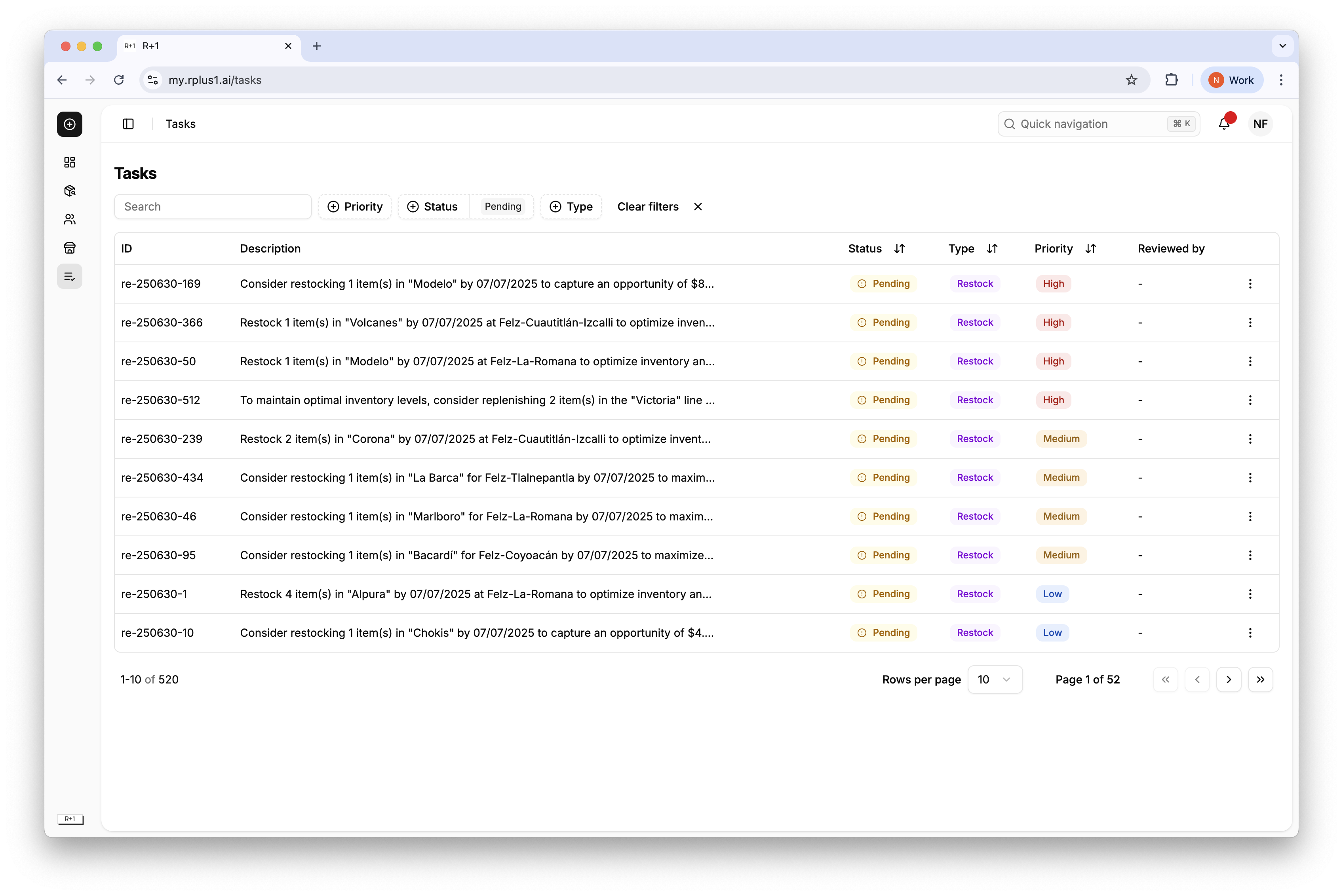
Each task detail page gives you all the data needed to take action confidently. Inside each task there are a few important details to consider. To see the details, clock the three dots on the right-side of each task row.
Key sections
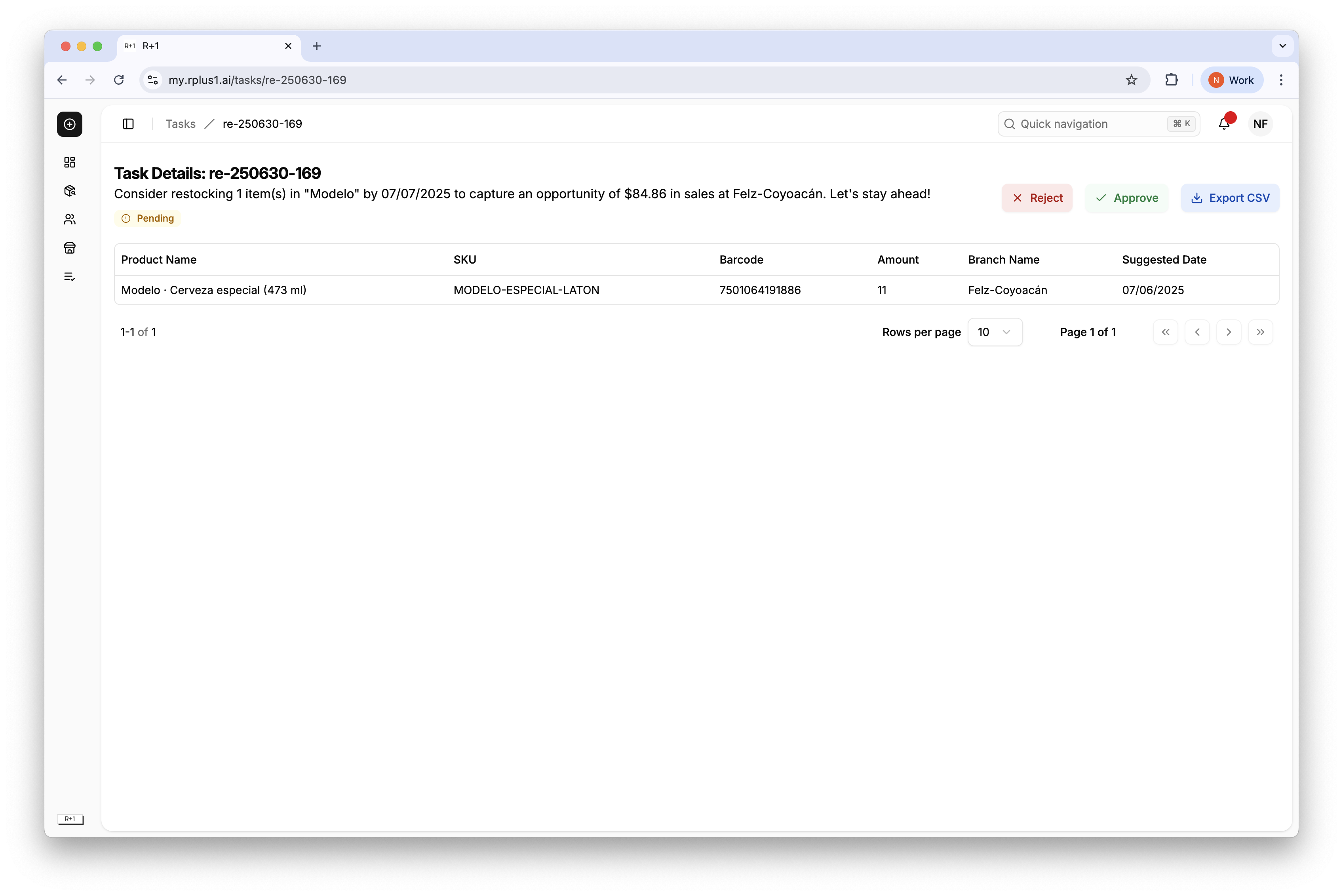
Description bar concise instruction with suggested date and branch.
Product Name, SKU and Barcode to identify the included products.
Amount depending on the task will show the number of items to be restocked or discounted.
Branch Name shows the impacted channel.
Suggested date to implement the task.
Tip
Use the Suggested date to coordinate with your ordering cycle so product arrives just in time.