Approve or reject a task
Last updated: July 11, 2025
Overview
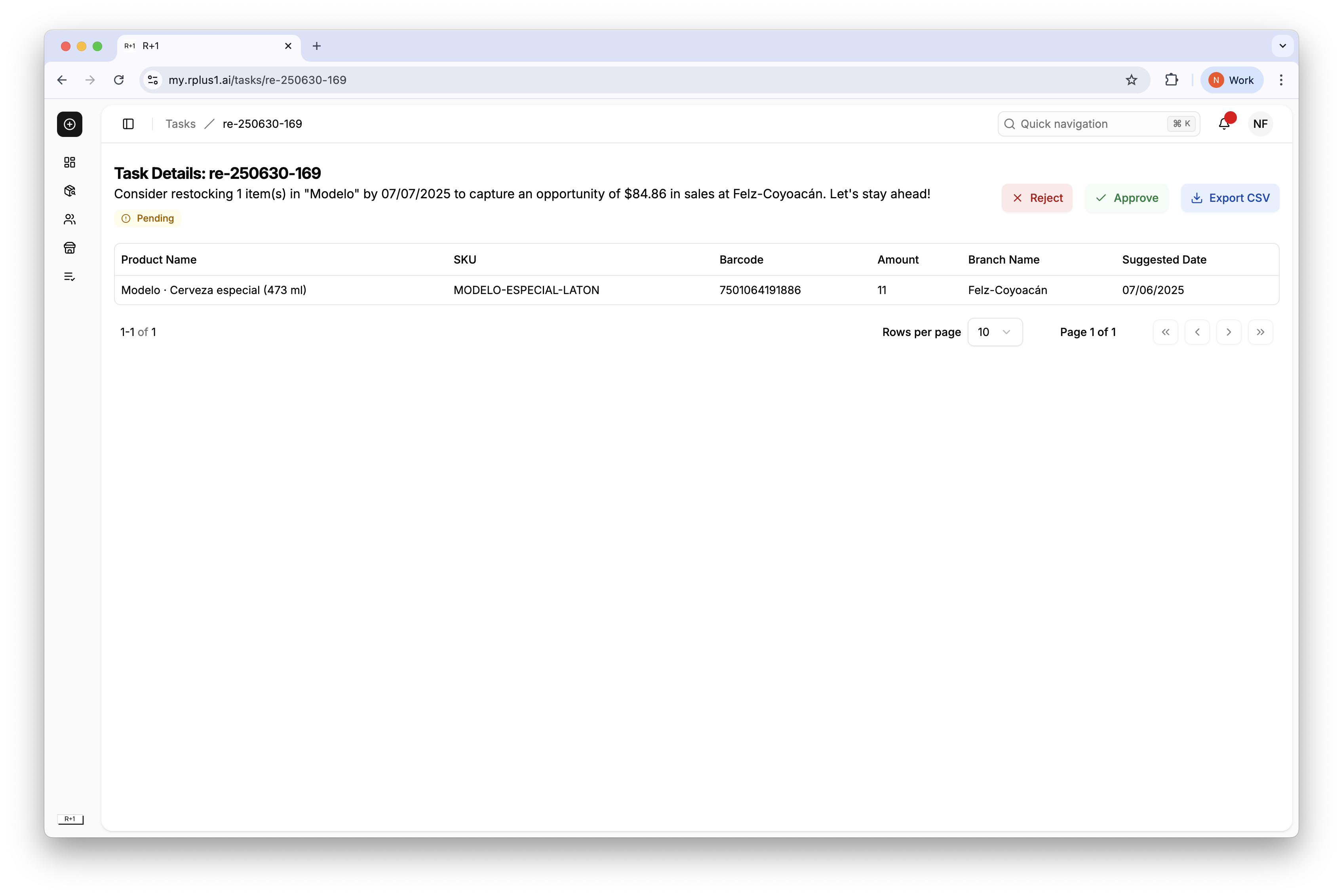
Approving tells R+1 that you executed the recommendation. Rejecting provides feedback that the task was not suitable, improving future suggestions.
Step by step
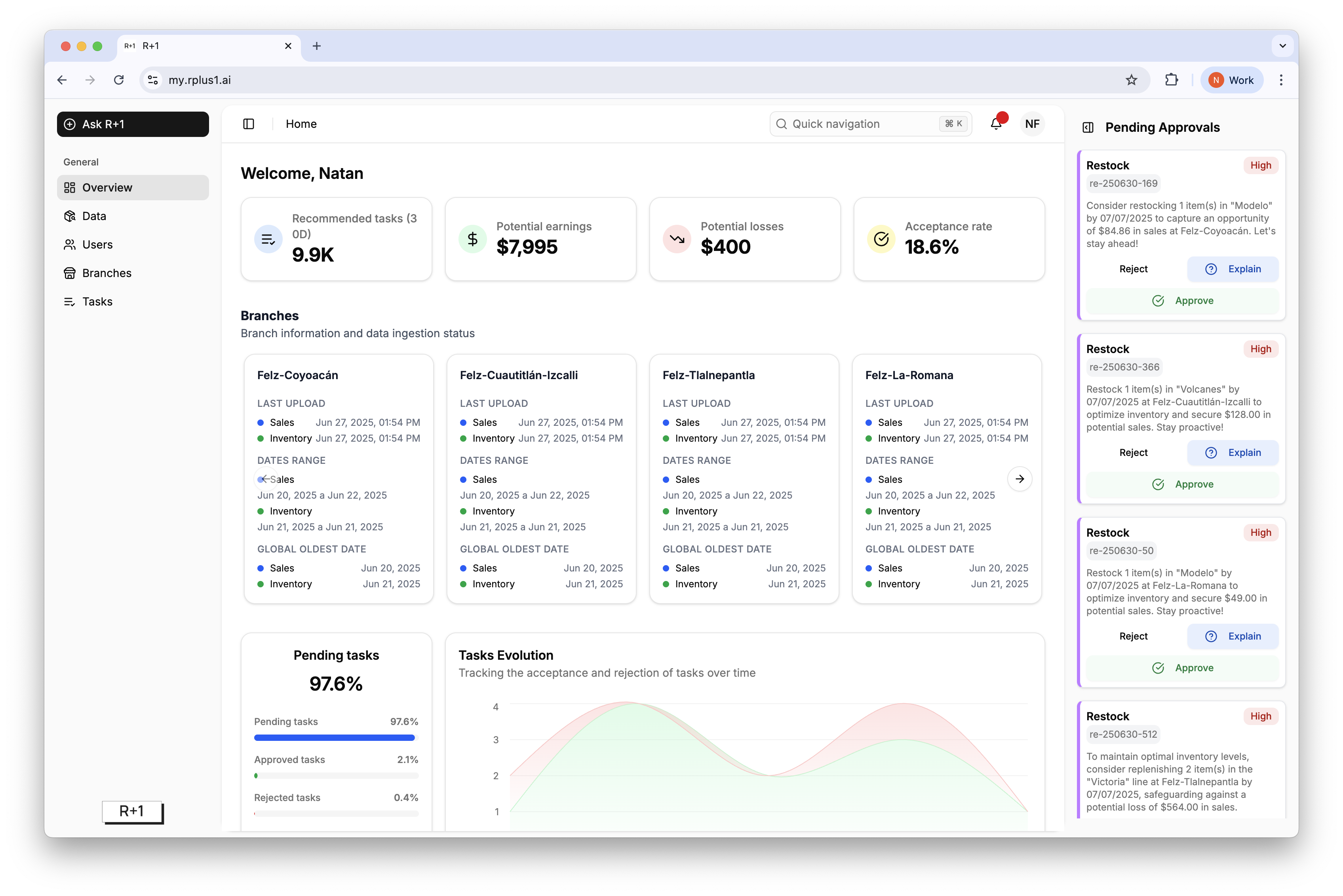
Open the task detail page from the list or the Pending Approvals panel.
Click Approve if you have completed the action, or Reject if you will not execute it.
Optionally ask R+1 to explain the task, then confirm.
Tip
Historical acceptance rate is a key success metric. Aim to review and accept all tasks at least once per day.