Read the branch health card
Last updated: July 11, 2025
Overview
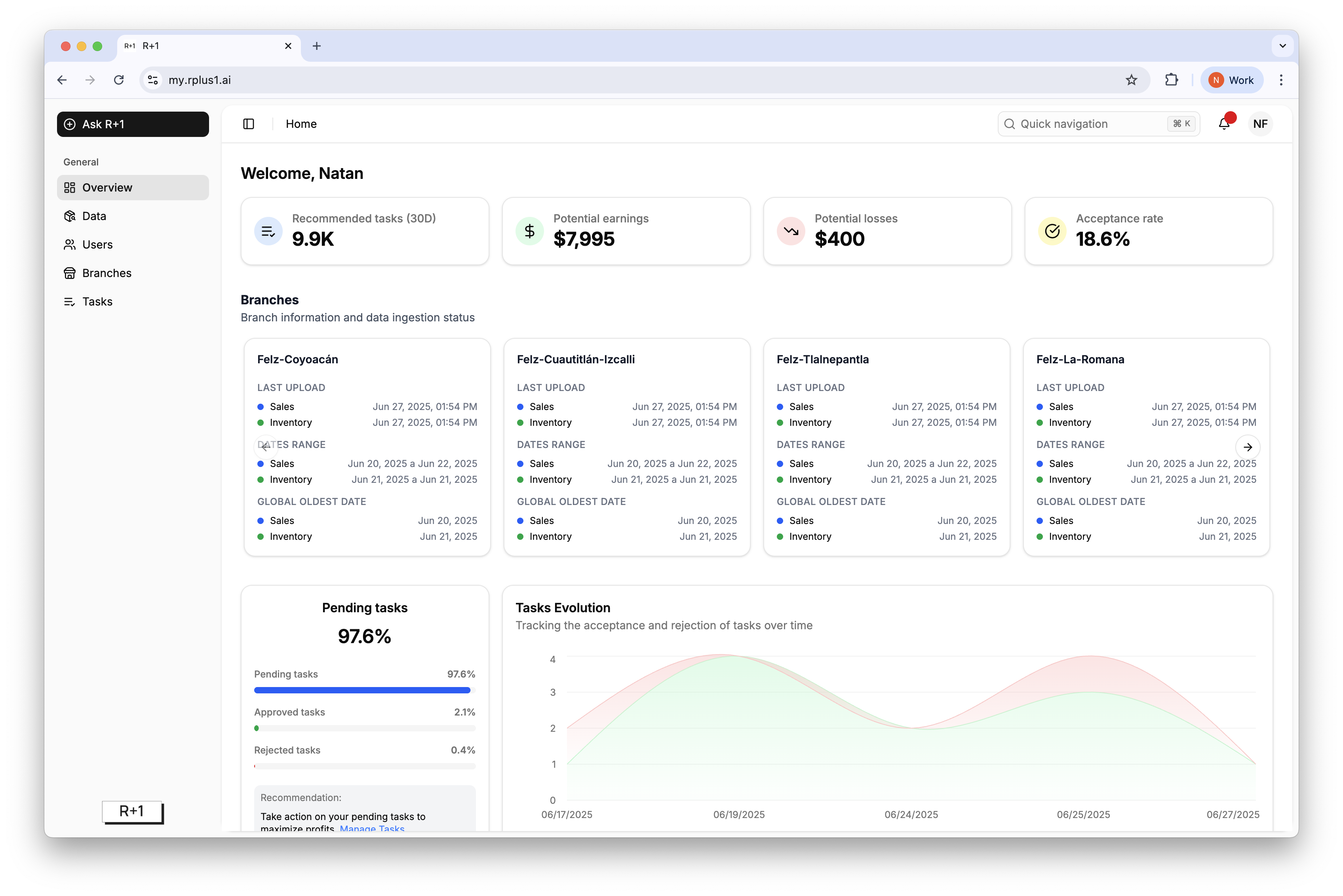
Branch cards on the home dashboard quickly show whether recent sales and inventory files are missing for each location.
Indicators
Last upload shows the last date of data received.
Dates range shows the available data range received in the last upload. Make sure you upload data that follows the last date range to avoid overwriting information.
Global oldest date shows the oldest recorded data point for a specific branch.
Hover the card to see the actual timestamp of the last upload and the date range currently in the system.
Tip
If no data is missing and all branches are updated, these cards won't appear.