Add a branch
Last updated: July 11, 2025
Overview
Each physical store, e-commerce, dark store, or warehouse is a branch in R+1. Accurate branch data ensures that recommendations map to the right location.
Step by step
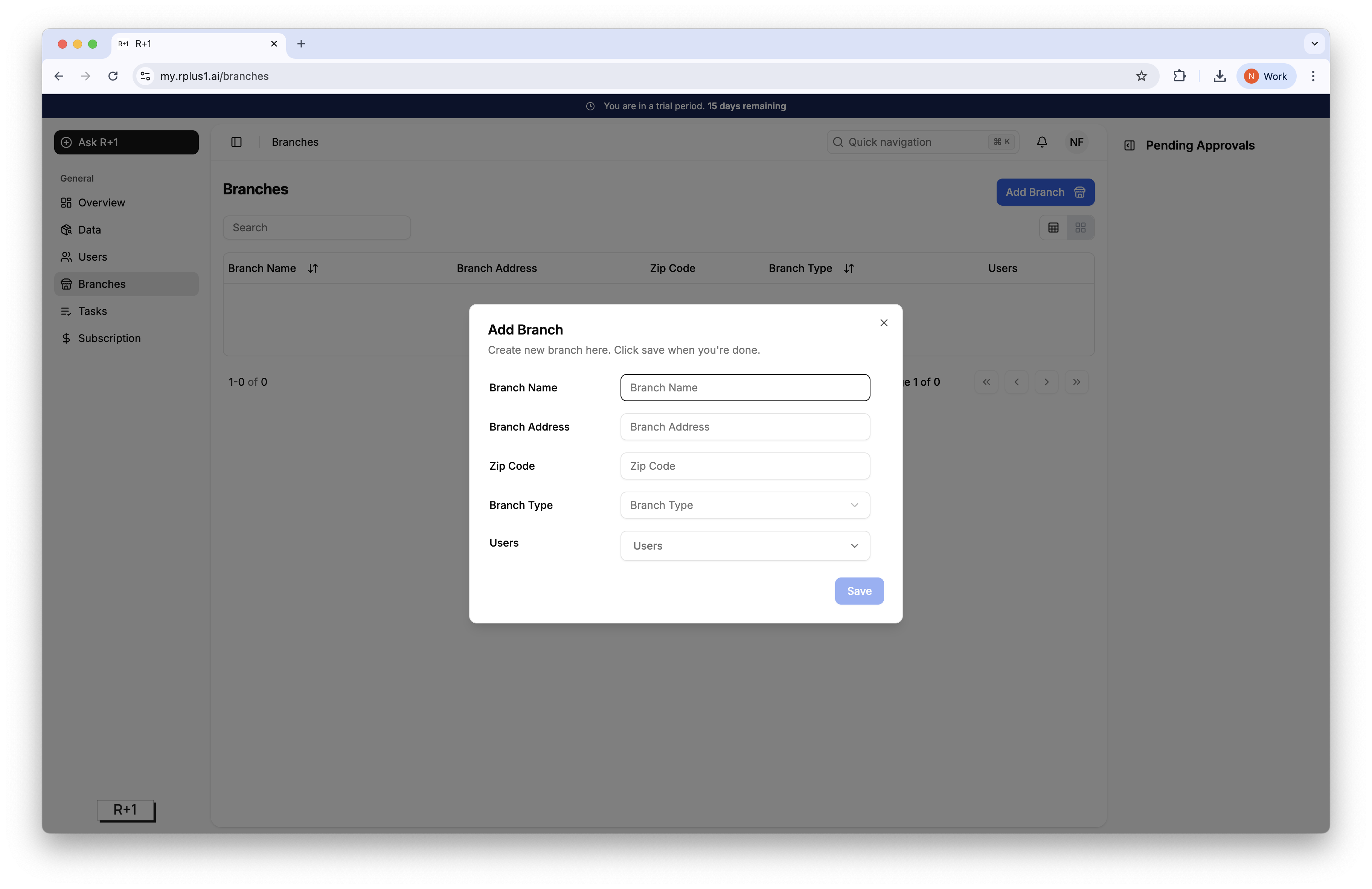
Click Branches then Add Branch.
Enter the branch name. This name must match the branch name in the data ingestion.
Press Save. The new branch appears in the list with grey status dots until its first data upload.
Tip
Names are case sensitive, and we recommend choosing a short one for simplicity.