Roles
Last updated: September 11, 2025
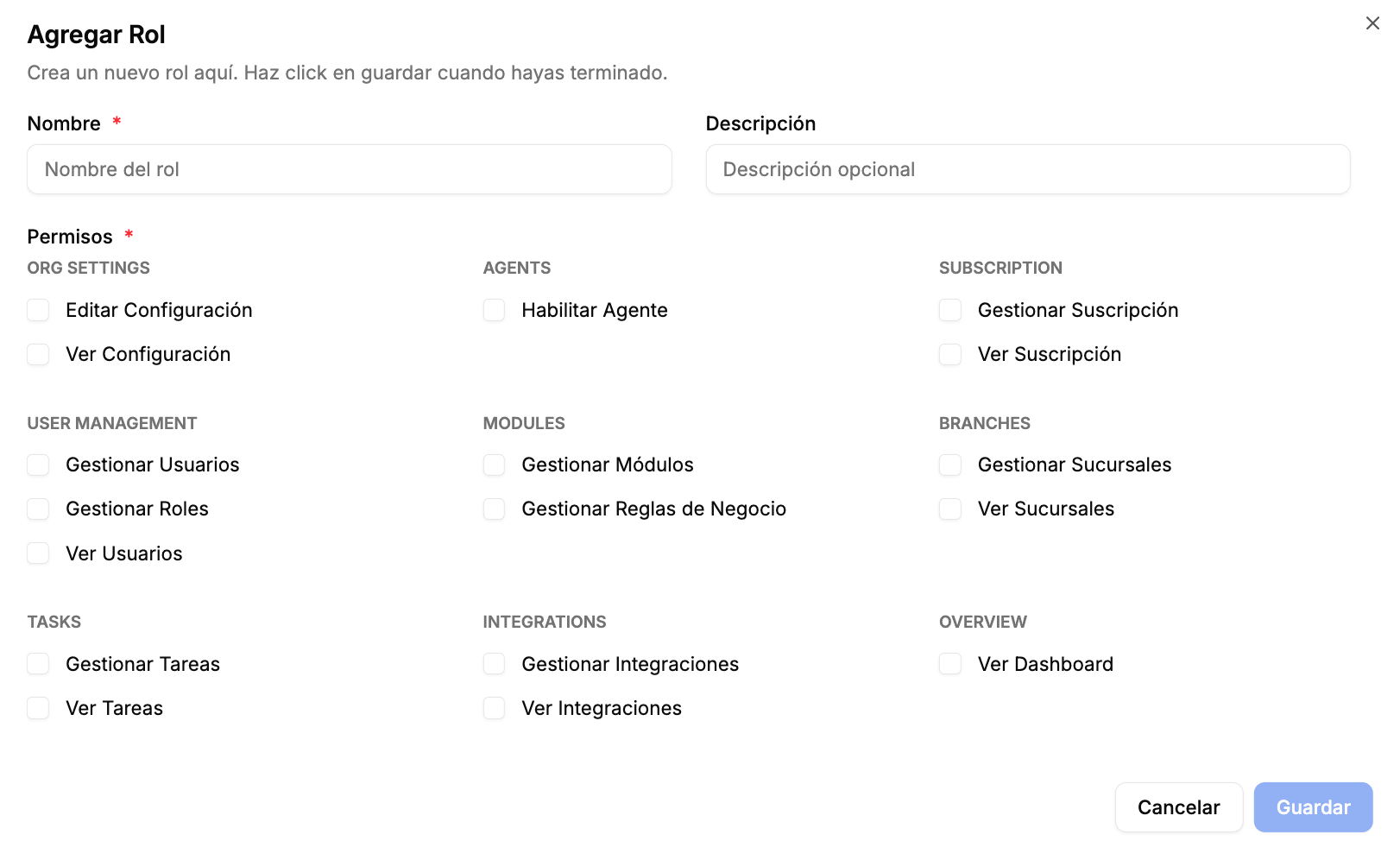
Roles in R+1 are composed of capabilities which dictate the level of access the user In R+1, roles are composed of capabilities that define the level of access a user has on the platform and the actions they can perform.
When a company is created in R+1, we automatically assign a set of default roles:
account owner (inmutable and not deletable).
Admin by default
base role (mutable and deletable)
Read only role
In addition, you can create custom roles in R+1 to better reflect the specific needs of your company.
Capabilities
Each role is defined by the capabilities it grants. Below is an overview of available capabilities grouped by category:
Org settings
For users who need to configure the organization-wide defaults like company info, integrations, and global preferences
View settings
Edit settings
Modify company wide settings
Overview Dashboard
For users who need access to see the overview dashboard and platform usage
View dashboard
User management
For users who need to configure and create users and roles
View users
Manage users
Create, modify or delete users
Manage roles
Create, modify or delete roles
Modules
For users who need to configure business rules and model behaviors
Manage modules
Configure Model settings
Business rules
Create, modify or delete business rules
Branches
For users who need to configure branches, manage user-branch relations
View branches
Manage branches
Create, modify or delete branches
Tasks
For users who need to manage tasks and see recommendations
View Tasks
Manage Tasks
Create, modify or delete tasks
Subscription
For users who need to manage the subscription and look at payments
View
Manage
Modify subscription or payment method
Integrations
For users who need to manage data integrations with R+1
View
Manage
Upload manual data (CSV) or modify connectors