Quick tour of the interface
Last updated: July 11, 2025
Overview
This two minute tour shows where to find key features: dashboards, data uploads, task reviews, and Ask R+1 chat.
Key areas
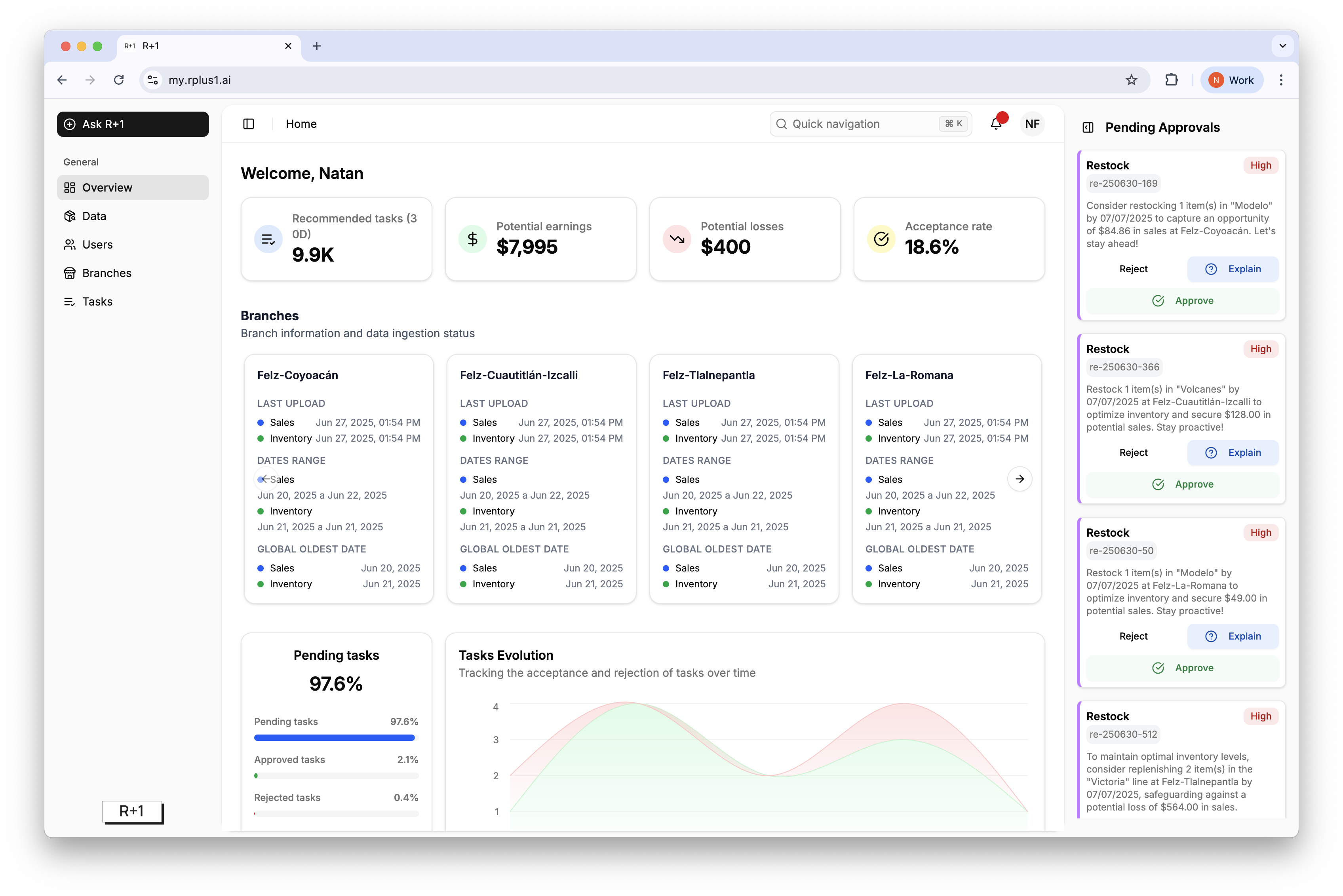
Left navigation houses Overview, Data, Users, Branches, Tasks, and Ask R+1.
Home dashboard surfaces KPIs such as Recommended tasks, Potential earnings, Potential losses, and Acceptance rate.
Tasks page lists every recommendation with powerful filters.
Right side panel shows Pending Approvals so High priority tasks are always visible.
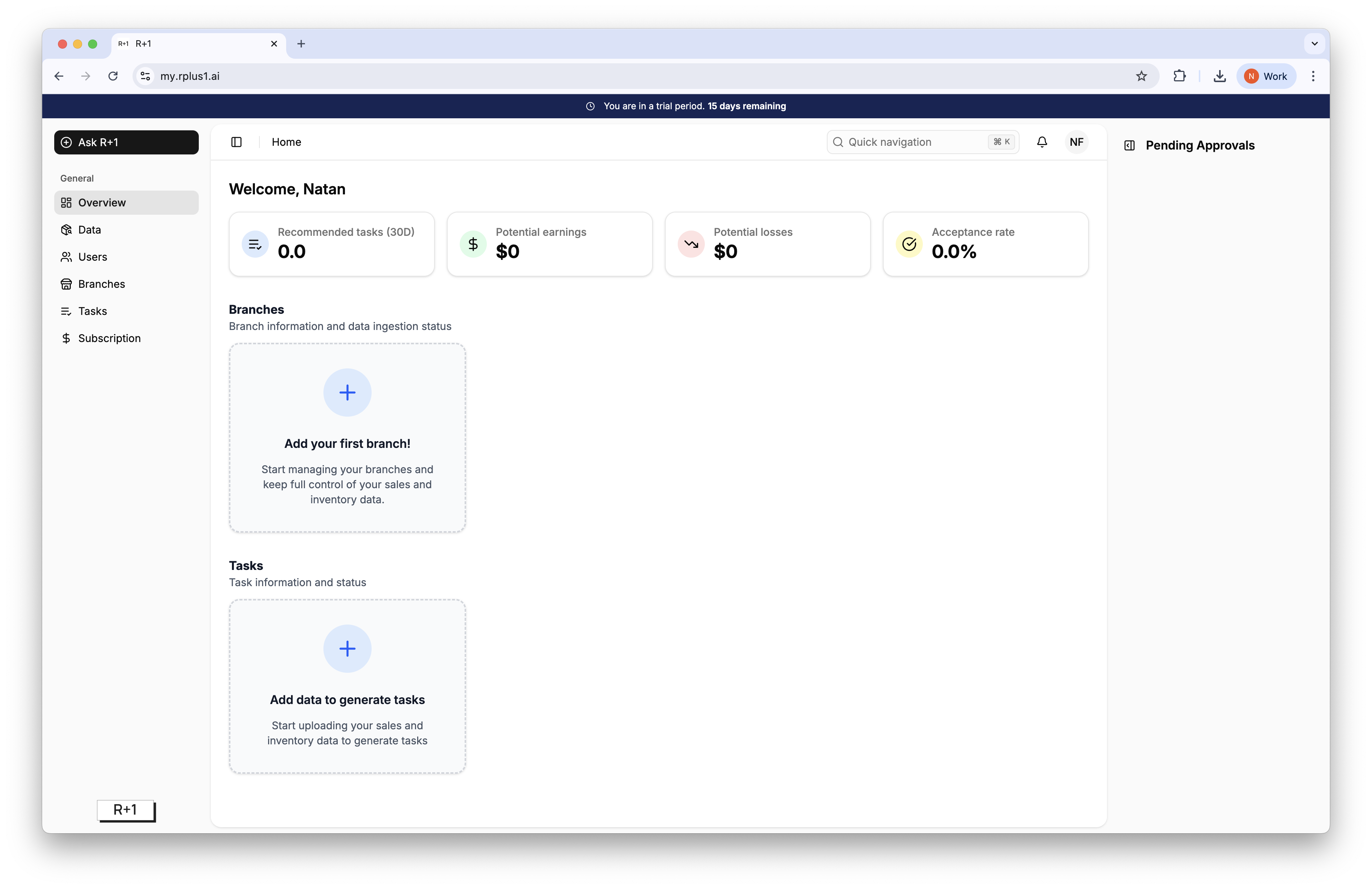
When starting to use R+1 for the first time, the app will appear empty and will prompt the first actions as follows:
Tip
Use Quick navigation (cmd+K or ctrl+K) to jump to any side-bar information without clicking through menus.