Explain a task on demand
Last updated: July 11, 2025
Overview
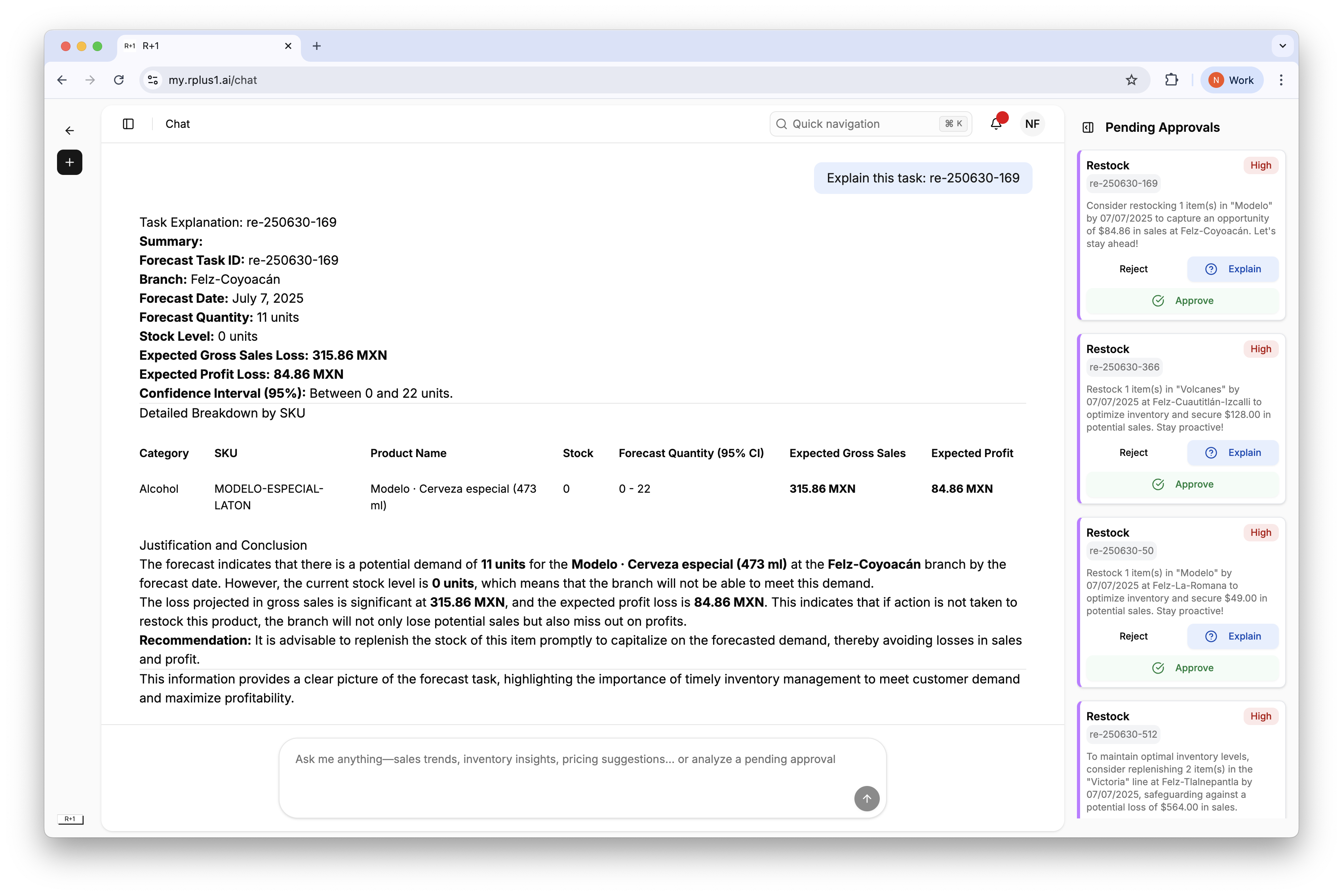
When a task needs more context, the Explain button queries R+1’s models and returns a plain language summary with key statistics.
Step by step
In the Pending Approvals panel or Tasks list, click Explain.
A chat thread opens with a summary that includes forecast demand, stock level, expected gross sales, and profit impact.
Use the information to decide whether to approve or reject.
Tip
Because the summary is generated based on the current task, it reflects the latest data.